
Support center
Pay and renew manually in just a few steps.
For security purposes, we are not entitled to gather payment information over the phone, Chat or email, everything is done online on your personnal secured account.
Good to know:
• To avoid this renewal steps, check the box that allows Notarius to automatically debit renewals and transaction fees
• If your company pays for your subscription, you’ll need to renew only if you change company
- Access your Notarius account

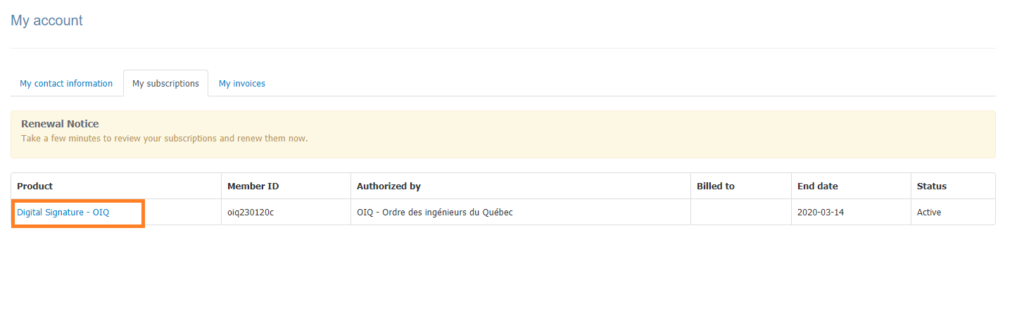
- Click My subscriptions tab, then select the product that has a subscription coming to term
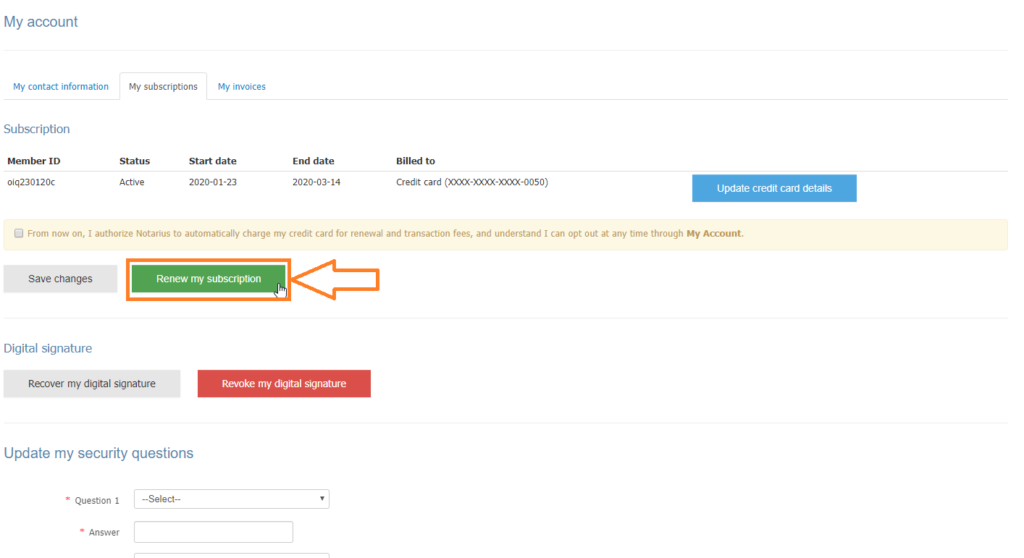
- Click on Renew my subscription
- Select your payment method and click Next
- If your organization has an account with Notarius, you can transfer them the invoice by choosing Invoice my organization and selecting it from the drop-down menu
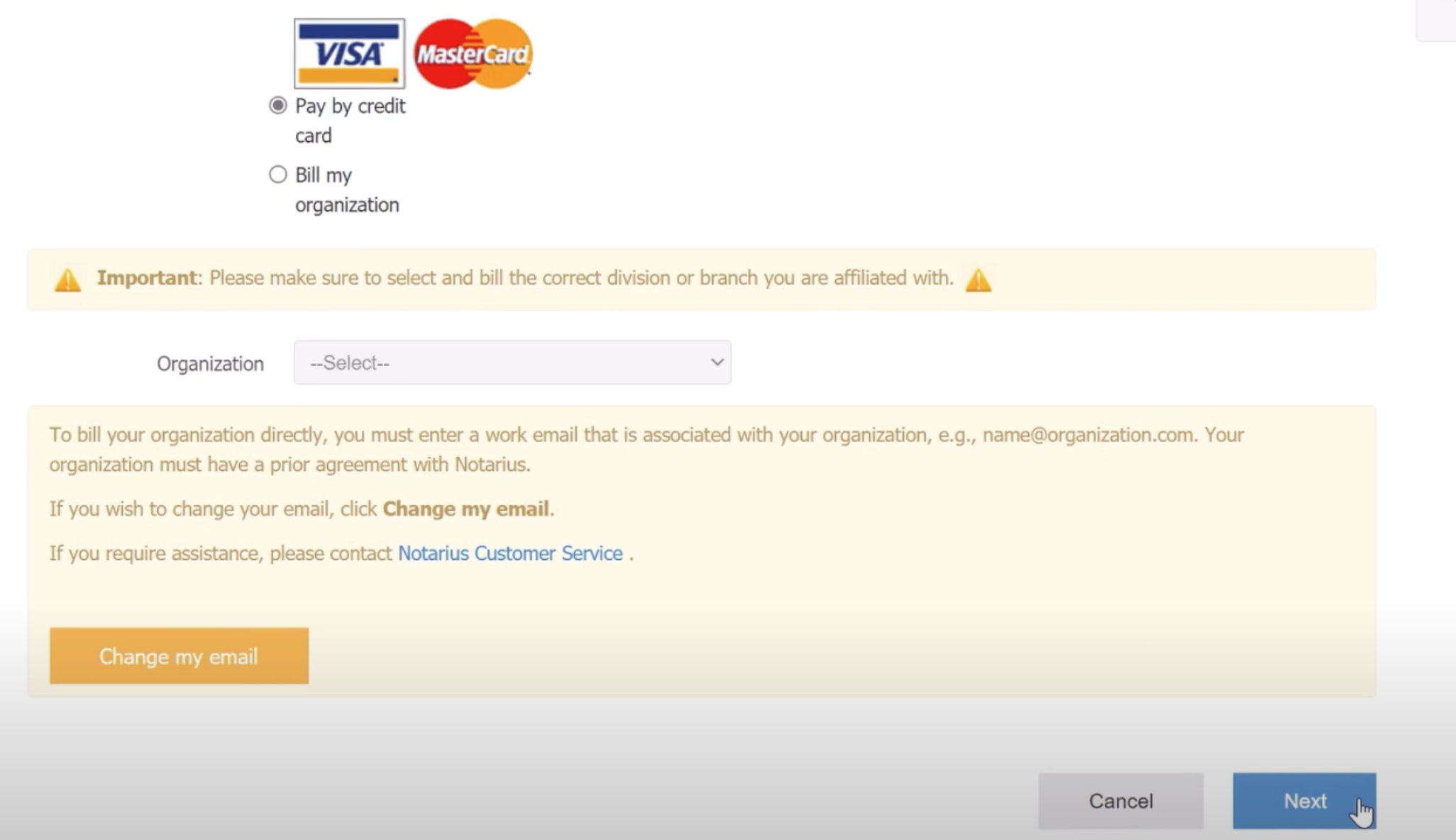
- If your organization has an account with Notarius, you can transfer them the invoice by choosing Invoice my organization and selecting it from the drop-down menu
- Check the invoice and agree to the terms of purchase, then click Submit
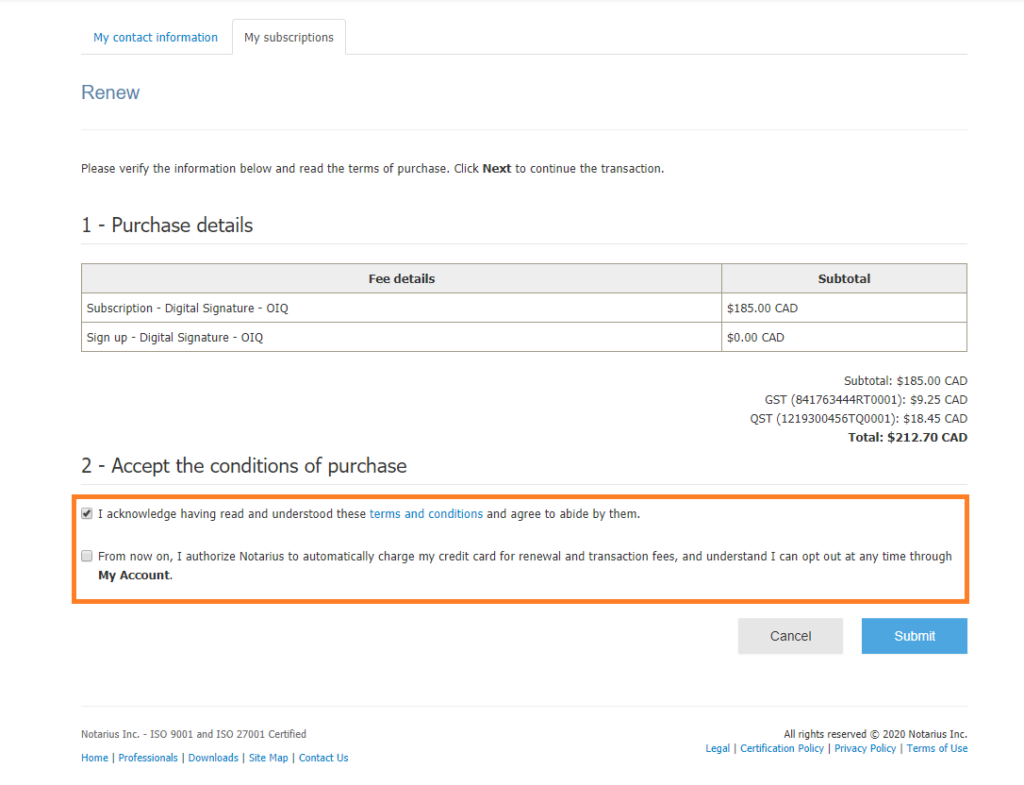
- Enter your information on the secure platform
- Enter the CVV (verification) number on the back of your credit card and click Pay
- Verify your transaction receipt
- Your annual subscription is paid and renewed. It will come into effect as soon as your current subscription expires