
Support center
Recover a CertifiO Cloud digital signature
This procedure applies if you want to change your password, but also if you have received one of the following messages
• Your CertifiO Cloud digital signature needs to be updated
• Your CertifiO Cloud digital signature is no longer functional
• Or you would like to recover multiple digital signatures
- Access your Notarius account

- Click on the Product Name (CertifiO Cloud digital signature) that requires recovery
- Click on Recover my digital signature
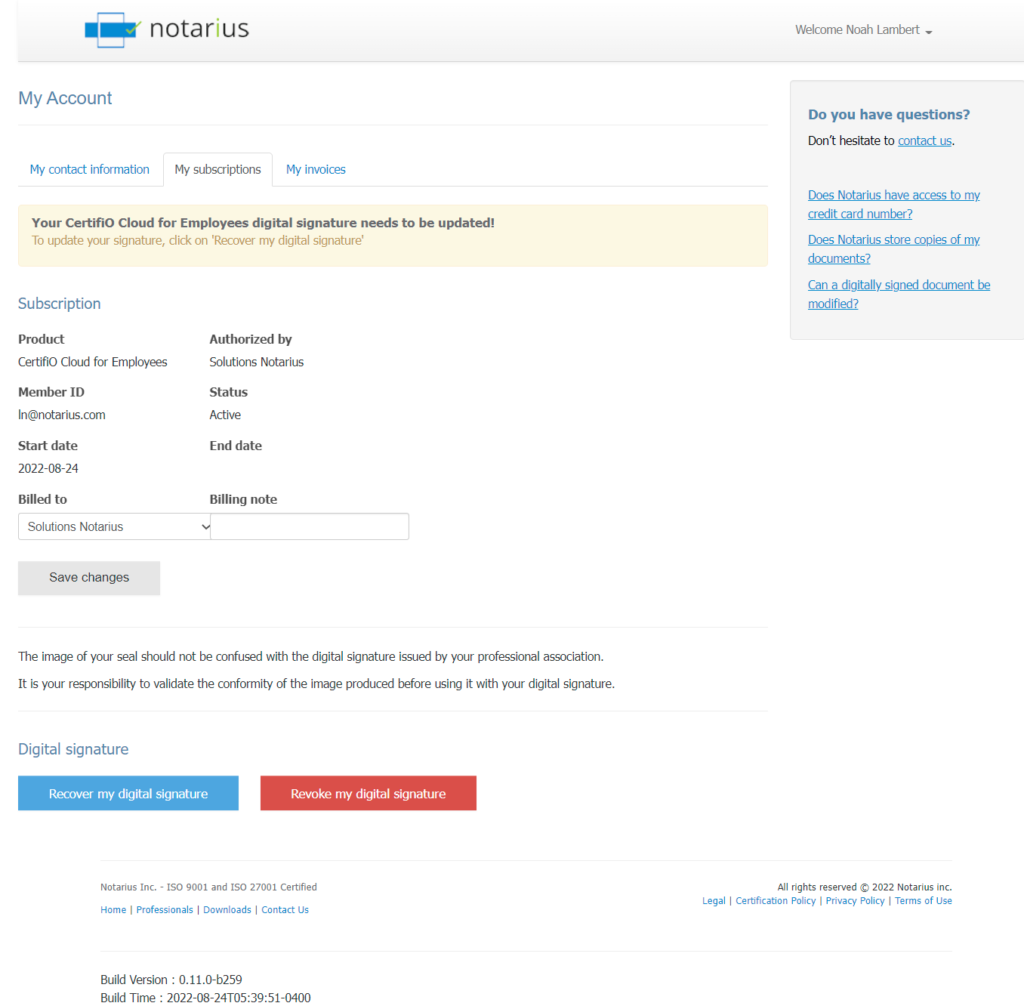
- Confirm on Recover my digital signature a second time on the popup window to confirm your request
- You will receive an email with your reference number highlighted in red
- Don’t forget to check your spam folder
- Write down or copy the reference number in red
- Make sure not to copy blank space character
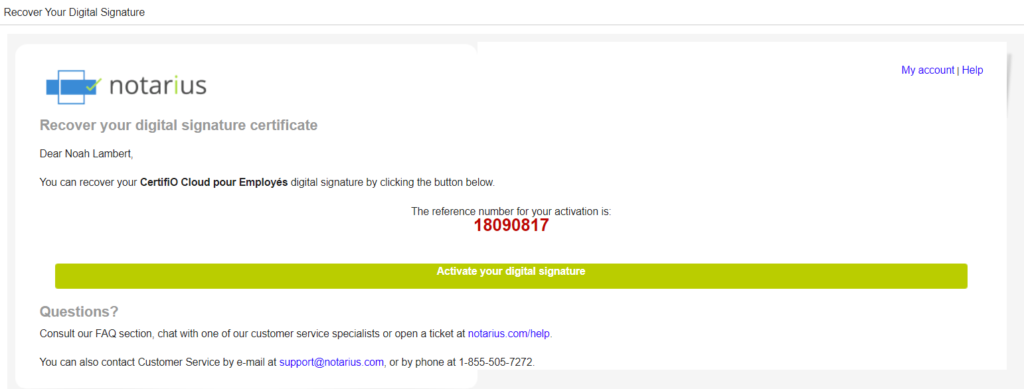
- Make sure not to copy blank space character
- Click the Activate my signature button
- Complete the activation form:
- In the Reference Number field, type or paste the reference number that is in red in your email (Step 6)
- In the Confirmation code field, type the confirmation code (SMS or phone call) received on your second factor phone. Ensure to not copy the blank space character. Click Send a new code if not received within a few minutes
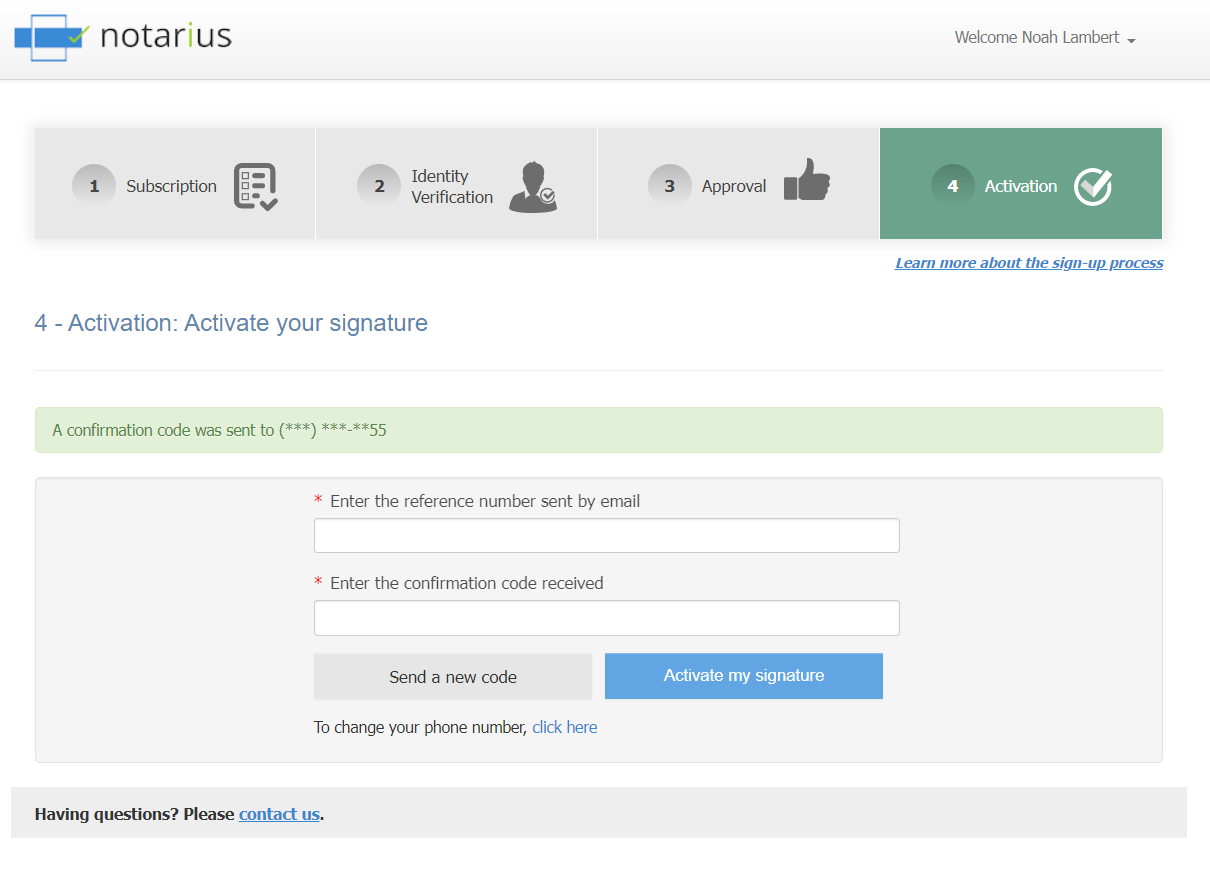
- Click on Activate my signature
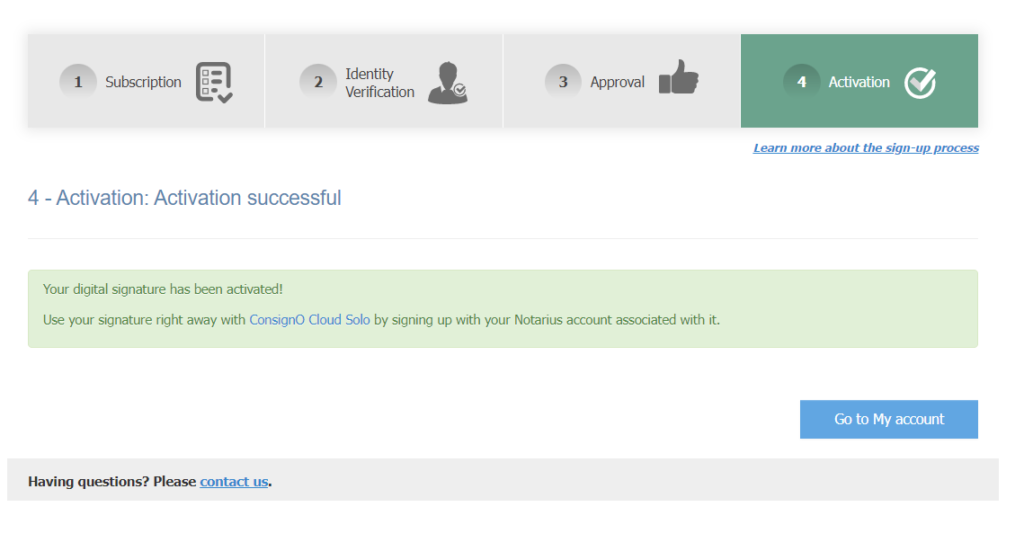
- Your digital signature is now recovered and activated
At all times, we invite you to discover all the possibilities of your digital signature CertifiO Cloud by consulting the ConsignO Cloud Solo training videos.