Support center
Documents Sharing
The document sharing function allows a project initiator to securely transmit one or more documents to one or more recipients of their choice.
Warnings: All shared documents are converted to PDF format within the app. Therefore, the recipient will download the shared document(s) in .pdf format. A document sharing is considered a project and will therefore be deducted from the total number of projects available in your plan.
Access to document sharing
To access the function please click on the icon  in the left menu bar.
a) Dashboard
Once on your shared documents dashboard, you can initiate document sharing by clicking on the “Share documents” button.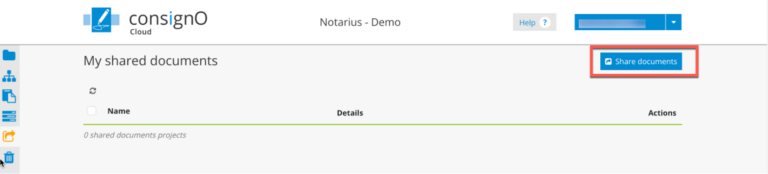
b) Document sharing creation page
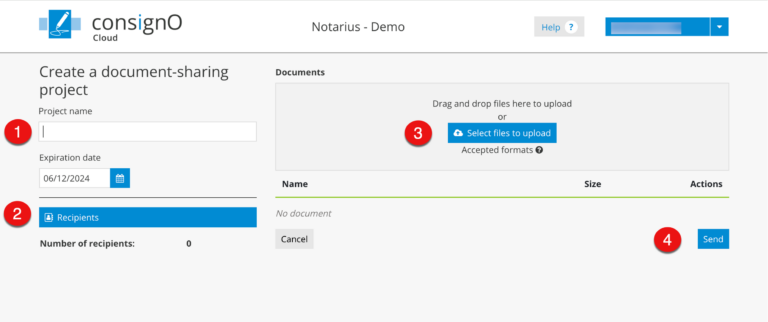
On the document sharing creation page, please:
- Fill in the fields:
- Project Name
- Select an “Expiry Date”
- Assign one or more recipients:
- From the address book or:
- Create a new recipient
- Upload one or more documents to the Documents area:
- The documents are displayed in sequence
- Click on the Send button
Receiving a shared document
a) Email
When you click on the Send button, an email is sent to the recipient(s). Here is an example: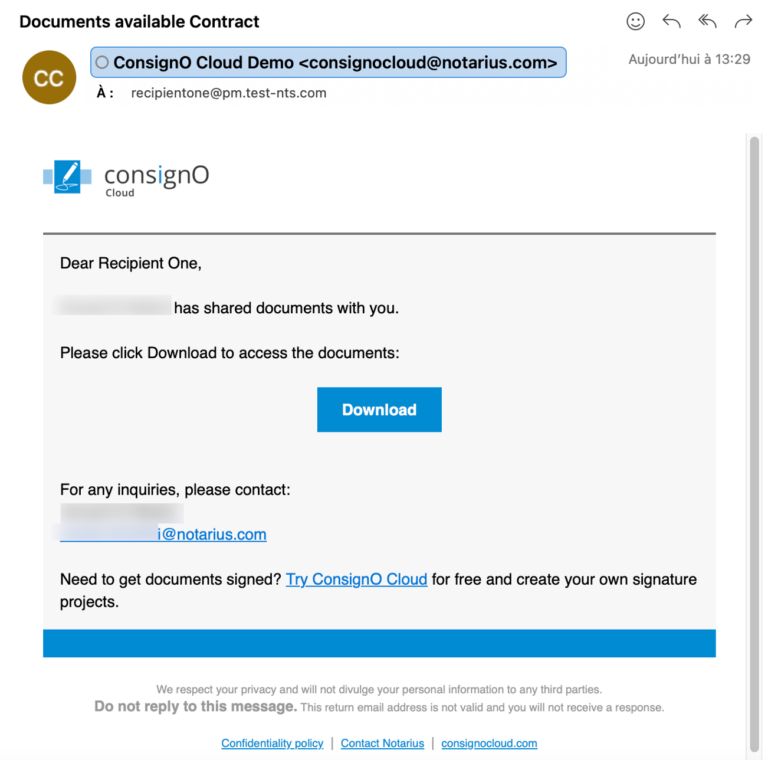
b) Downloading
By clicking on the download button, the recipient is redirected to a ConsignO Cloud page where they must confirm their identity using a second authentication factor. This can be a code received by SMS or call, or the answer to a secret question. In the example below: we have a code received by SMS: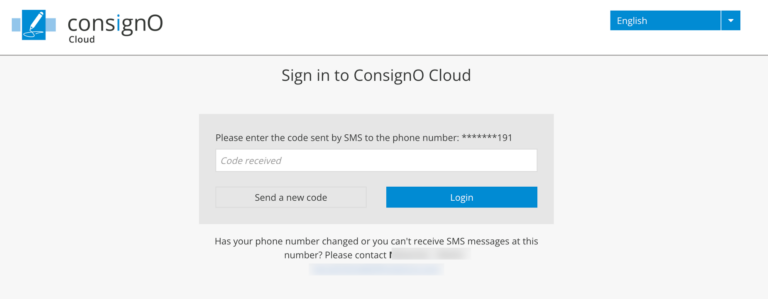
Once the second authentication factor has been validated, the download of the documents begins, and a confirmation page is displayed. Please note that a link is available on this page if the download did not start automatically.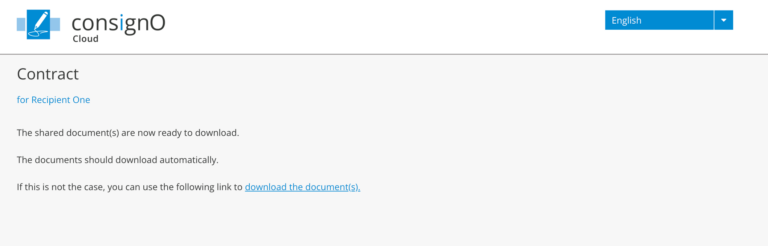
Monitoring document sharing from the instrument dashboard
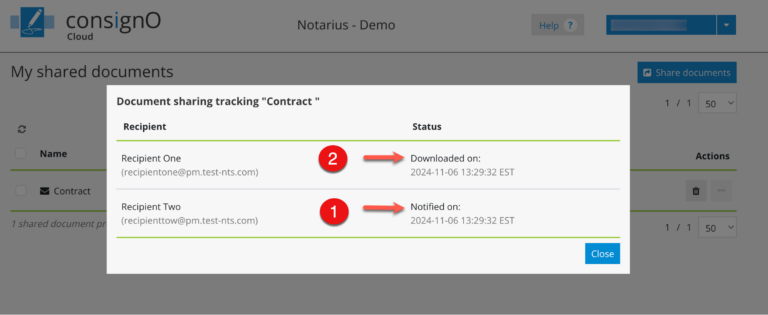
When documents are shared, the project initiator can track downloads via the Document Sharing dashboard, in the “Details” column.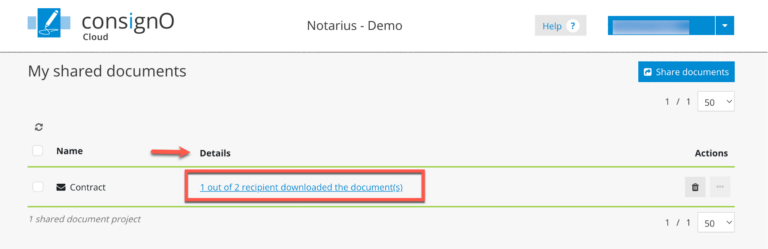
By clicking on the link, the project initiator can see when the recipients were notified (1) and when they downloaded the documents (2).