
Support center
Re-assignment of project
The reassignment function makes it possible to transfer the responsibility for managing a signature project from one instrument to another. Thus, the instrument who initiated a signature project which is reassigned will no longer be the supervisor and will no longer be able to access it.
The signature project reassignment feature is enabled by default for Administrators and Managers of an organization. They can thus reassign signature projects that they have initiated or any other to which they have access under the organization’s dashboard.
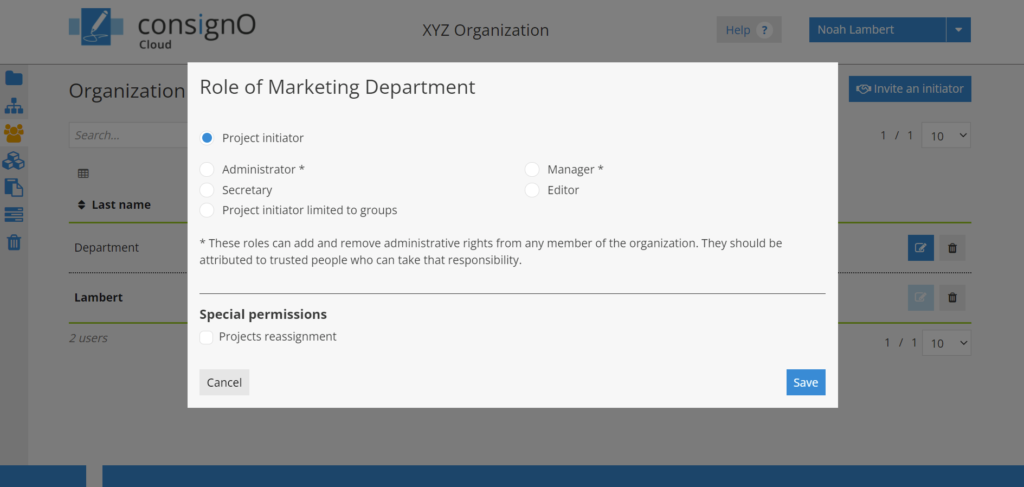
As this function is not activated by default for the other instrumentors of the organization, the Administrators and Managers can authorize this special permission via the user management page.
- When accessing the user edit option, the window presents the role options as well as the special permissions section. It is under the latter that it is possible to authorize the reassignment function for a given instrument.
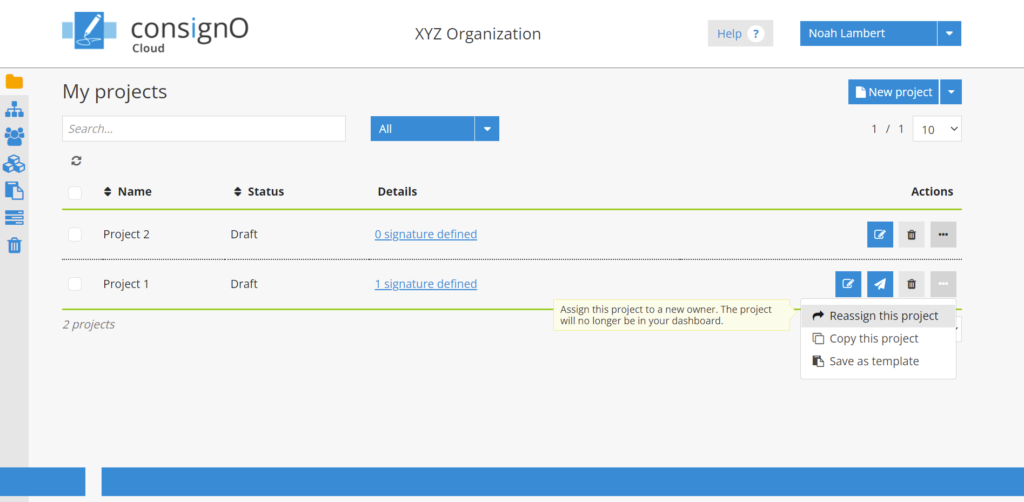
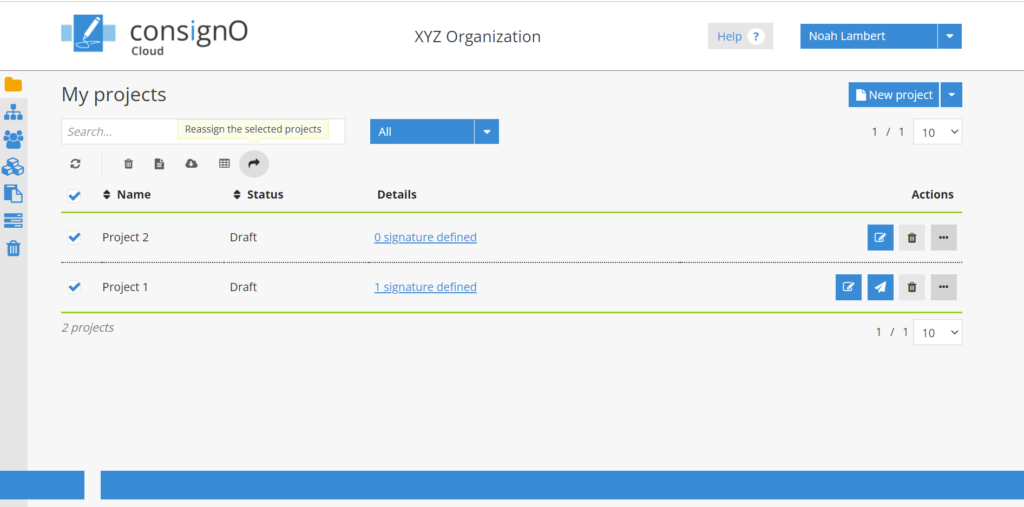
When the project reassignment permissions are active for an instrument, the latter can access it via two options:
- Via the contextual options menu for each signature project:
- Or, via the multiple selection option:
When selecting the option, a reassignment window for the project(s) is presented and allows you to enter the email address of another person in the organization.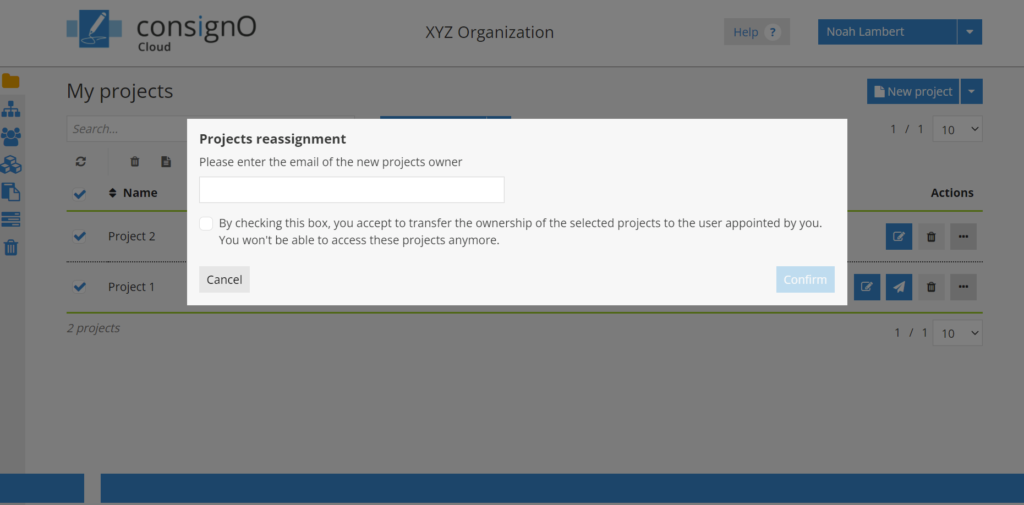
Once the email address is entered, please check the box advising of the transfer of ownership of the signature project and press Confirm to complete the reassignment.