Please consult the documentation in Espace Notaire / Profession numérique / Acte notarié technologique (French only). For more information, please contact CNQ support at techno@cnq.org.
Cancel
In the context of the regulation aiming to allow a notarial act in minutes on a technological medium, Notarius is joining forces with the Chambre des notaires in order to make this available with the ConsignO Cloud signature platform.
A ConsignO Cloud tenant has been personalized to the colors of the Chambre des notaires and dedicated to signing the "notarial technological act".
It is thus MANDATORY for notaries wishing to receive technological notarial acts, to register with this new platform. Any account previously created on ConsignO Cloud, whether free or paid, cannot be used in the context of these regulations, the Chambre des notaires ConsignO Cloud tenant has distinct functionalities for this type of reserved act.
In the context of these regulations and the implementation of this solution, invoicing by Notarius will also apply. Each completed signature project of the ‘Technology-based notarial act’ type will be invoiced at a cost of $4.00. Each completed signature project of the ‘Other document’ or ‘True authentic copy’ type will be invoiced at a cost of $2.25 to the notary. For more details, please refer to the ‘User fees’ section.
Finally, it is important to note that the procedure to be followed in order to produce a notarial act on technological support will be provided by the Chambre des notaires. All questions relating to this procedure should be addressed to the Chambre des notaires directly and not to Notarius.
Please consult Espace Notaire / Profession numérique and the resources of the technological act for more information (French only).
To access ConsignO Cloud, whether it’s your first time or not, since the 18th of March 2025, you must use the authentication credentials (username and password) from Espace Notaire, the same ones used to access registry search requests, annual company updates, etc. This username is your email address registered with the CNQ’s directory.
Note:
Before accessing the service for the first time, make sure to harmonize your Espace Notaire email with the one associated with your official digital signature.
Starting December 1, 2024, completed signing projects of the type “Technological Notarial Act” will be billed at a cost of $4.00.
All other completed projects (Other Documents, Certified Copies) will continue to be billed at a cost of $2.25.
This cost is charged to the account of the project initiator, the notary launching the project. No specific charge applies to the signers.
Invoicing for these projects is included in your regular monthly invoicing.
In order to be able to produce a “technological notarial act”, you must:
Given that notaries must sign with their digital signature, it is only possible to proceed on a computer with the Windows or MAC operating system.
It is therefore not possible for the notary to digitally sign on an iOS or Android device.
* CertifiO Manager and Entrust ESP software should already be present on your workstation, as they are required to use the digital signature with Telus solutions and the Notarius portal. If not, they can be downloaded via the Download page of the Notarius website.
All instructions relating to the procedure to follow in order to produce a notarial act on a technological medium are provided by the Chambre des notaires.
Please consult the documentation on the dedicated page to the technological act in Espace Notaire / Profession numérique / Acte notarié technologique (French only). For more information, please contact CNQ support at techno@cnq.org
Any questions relating to this procedure or these documents should be addressed to the Chambre des notaires directly and or to Acceo or Avancie.
Consigno Cloud procedural representative for the notarial technological act for Windows
(scroll to the bottom of this page for MacOS) (French only)
Go directly to the subject that interests you:
Creation of a signature project
Addition of the notary to the address book
Add text fields (dates and # minute) and the notary’s signature
Order and position of signature areas
Remote signature of the parties
Signature of the notary (including text fields)
Download signed documents and audit log
True authentic copy without annex
True authentic copy with annexes
ConsignO Cloud Procedure for the notarial technological act under MacOS (French only)
For any questions related to the in-person signature feature and touch screens, please refer to your notary space in the digital profession section / technological notarial act subsection.
If the signer has not received a SMS code after a few tries, check the following:
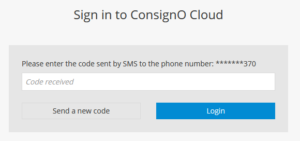
Note: It is possible that situations beyond our control, such as an outage by the signer’s mobile operator or the SMS sending platform, cause temporary problems with SMS messages.
There are several reasons why your signer might not have received the email to sign.
First, verify that the email address entered is correct. You can also ask the signer to check their spam folder. It is possible that our email domain may be blocked by its organization or that the email has been quarantined.
Otherwise, check if you have defined a signing order. If so, the signer will only receive a notification when it is their turn to sign. From the dashboard, check who needs to sign by selecting the hyperlink under the “Details” column.
If none of these options work, you can send a reminder manually by going to the Actions menu. Click on the “…” icon, then select “Send a reminder.”
However, if you prefer to only use the dedicated ConsignO Cloud instance set up exclusively for the Chambre des notaires for all of your acts, please contact us to end your regular subscription. You will then be reimbursed on a pro-rata basis for the elapsed months, and you will be charged $2.25 for each completed signature project of the ‘Other document’ type. For more details on pricing, please refer to https://consignocloud.com/notarial-act-user-fees/.
For technological notarial acts you MUST use the ConsignO Cloud instance dedicated to the Chambre des notaires(https://notaire.consigno.com).
All technological notarial acts must be MANDATORILY done via the ConsignO Cloud platform dedicated to the Chambre des notaires (https://notaire.consigno.com) and according to the procedure provided by the Chambre des notaires. It is a requirement.
Private deeds, other documents or service offers can be made on the tenant of the Chambre des notaires or even in another private ConsignO Cloud account (Individual, Business, Enterprise) to which you may have subscribed.
If in doubt for a specific act, consult the Chambre des notaires du Québec.
Unfortunately, no. It is not possible to migrate projects from one account to another. If you wish to use only the platform of the Chambre des notaires and close your regular subscription, it is then recommended to download all of your current projects (documents and audit logs) and save them locally on your workstation, your case management software or your archives.
It is also possible to cancel current projects. You will then have to create them and launch them again on the new instance.
It is also possible to export your address book from your checking account and re-import it back into the new instance. Use the Export CSV / Import CSV function from your address book.
Access to ConsignO Cloud for notarial deeds now uses Espace Notaire for authentication. You can update your contact details through Espace Notaire.
Note: If you change your email address on Espace Notaire, make sure to use the same one for your digital official signature subscription. Otherwise, you may no longer be able to send technological notarial deeds.
To check or change the email address linked to your digital official signature > link to the question How do I update my email address linked to my digital official signature?
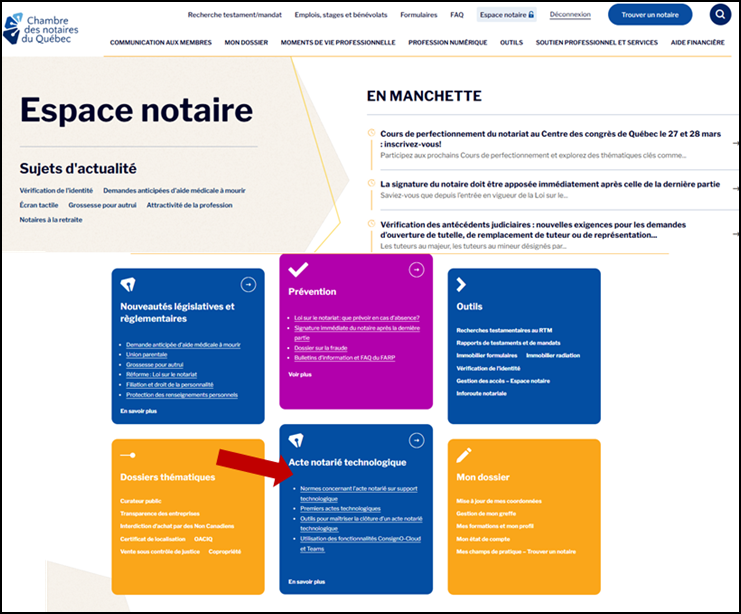
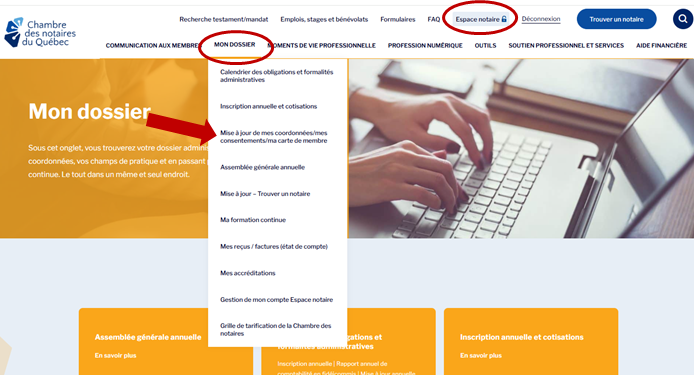
To check or change your email on Espace Notaire, you can do so:
– From the homepage of the site https://www.cnq.org/connexion-espace-notaire/
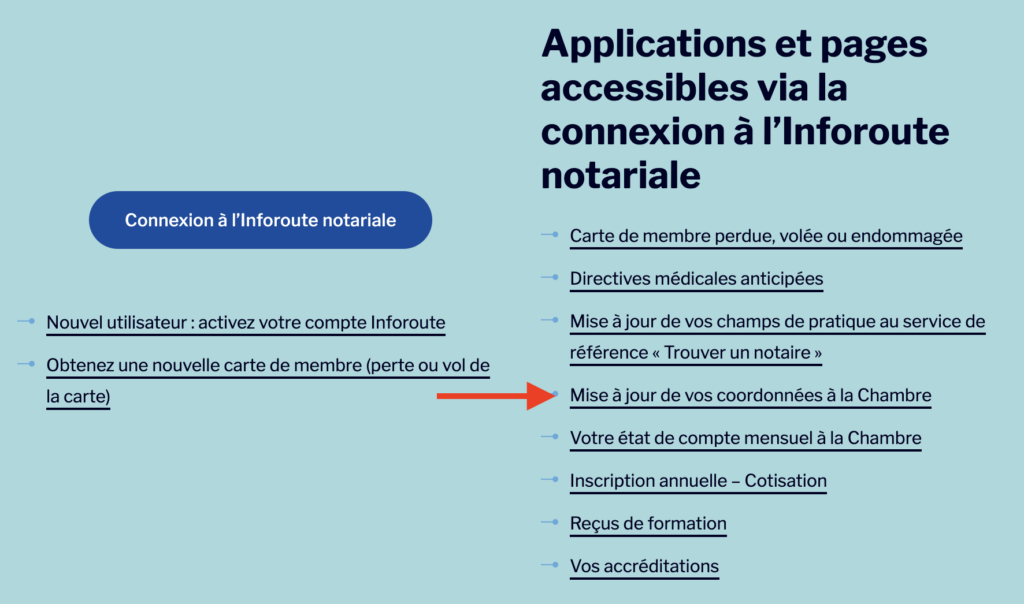
– From My Profile on the Espace Notaire website My Profile/Update your contact details
The UTC time in the audit trail is a universal time that allows the time of signing to be certified regardless of the time zone. It is therefore not possible to change it. If you have an Enterprise plan, contact the customer services team to change the time displayed on your dashboard.
With ConsignO Cloud, you can modify a project that is in progress be clicking on the “Edit” button. You can modify the information about project participants, change the signing order, or add or remove participants. However, it is not possible to edit a contact that has already performed their action.
Until your signature project is launched, the document or documents to be signed can be modified, but once your project is sent, you can no longer modify the document.
Once a signature project has been launched, as long as it has not been completed, it is possible to:
It is not possible to:
No, once your signature project has been launched, it is no longer possible to modify documents.
However, instead of creating the project again from scratch, you can duplicate it via the “…” icon, then replace the document by clicking on the tab with the name of your document. This option allows you to keep the signature zones for each signer.
If you delete the document, your signature zones will also be deleted.
Following a new directive from the Chambre des notaires du Québec published on July 5, 2021, it is now required for the notary to authenticate with its digital signature in order to launch a project on the notaire.consigno.com entity. This is to ensure that only a practising notary with a valid signature can initiate a project. For more information, consult the “ Espace Notaire” on the Chambre des notaires website.
Following the addition of a new logic requiring authentication by digital signature when launching a project, if no signature is associated with your profile, if you are using a digital signature different from the one assigned to your profile or if you enter an incorrect password for example, an error will be reported by ConsignO Cloud. Please validate the information and if the problem persists, then contact Notarius customer support for assistance.
Please consult the documentation in Espace Notaire / Profession numérique / Acte notarié technologique (French only). For more information, please contact CNQ support at techno@cnq.org.
Please consult the documentation How to use ConsignO Cloud for technological notorial act as well as the ConsignO Cloud user guide. For more information, please contact our support.
Avancie’s customers
Acceo Solutions’ customers
 button