
Support center
Generate usage reports
Only users who are designated as an Administrator or Manager under the Business or Enterprise plan have access to generate usage reports.
- You can access the usage “Reports” page by clicking on the Reports icon located in the sidebar on the left-hand side of the screen.
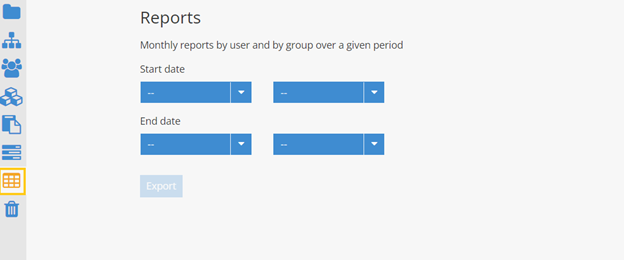
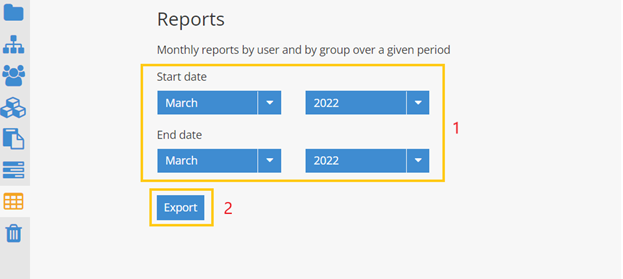
- On the « Reports » page: Select the start date and end date using the drop-down menus to specify the month and year Note: The selection must be made over the past months, no report will be produced for the current month. Click on Export
- Retrieve the downloaded zip file from your browser and view the generated reports in an explorer window
