
Support center
Organizational dashboard
You can access your organization’s project dashboard by clicking on the organization projects icon located in the sidebar on the left-hand side of the screen.
 This icon is not displayed if the user has been assigned an additional role or is part of a group of users.
The organization project dashboard displays all of the organization’s projects for which the current user has the necessary rights.
The organization project dashboard contains:
- Projects created by the current user
- Group projects for groups to which the user belongs
- All of the organization’s projects for which the user has been assigned an additional role and has the necessary rights
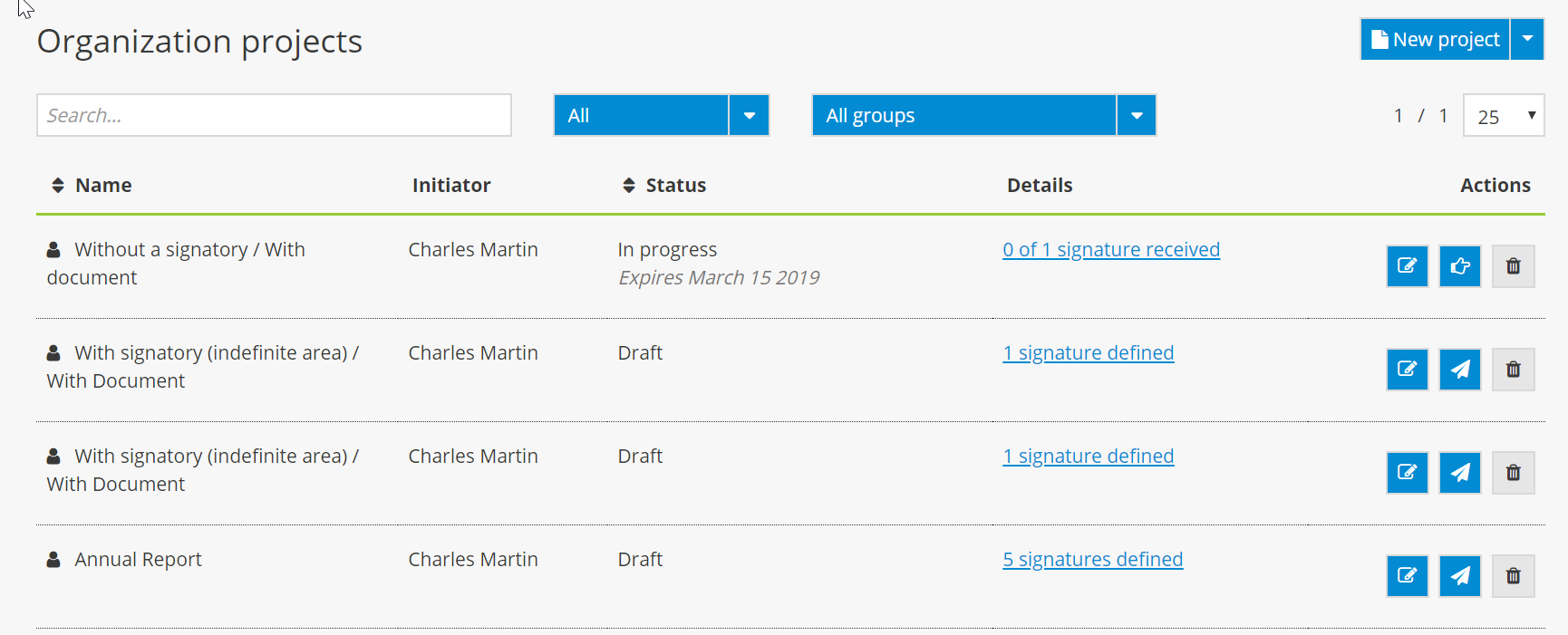
In addition to the dashboard features, the organization project dashboard allows you to see who the project manager is (the person who created the signature project) and includes a search filter to display a specific group’s signature projects.